In digital marketing, there are many strategies that can help optimize your business, especially if it’s a startup. One of them is the podcast, a useful tool for delivering valuable content, getting known in a dynamic way and achieving success.
Like everything in marketing, launching your own podcast doesn’t require great expertise, but it does take a lot of painstaking work, consistency, intuition and discipline. Still, it’s worth highlighting some of its advantages, including:
- It helps strengthen and build your brand
- It strengthens your loyal community
- It builds authority in your field or specialty
- It creates intimacy with your audience, since your voice can convey what other formats can’t
- It opens a new communication channel
There are definitely many more advantages that make podcasts a powerful digital marketing tool. So what should you consider when making a podcast? It’s not a simple task, but it’s not rocket science either.
The first thing to know is that you don’t need a big investment to get your voice out there. You can do it with few resources, and almost all of them are within reach. Although the three parts of making a podcast are recording, editing and publishing, you don’t need to be an audiovisual or radio expert to start one.
In fact, designing an image or editing a YouTube vlog is much more complicated. It’s a fairly simple task, but it definitely takes consistency, patience and, above all, a lot of dedication.
Here are 9 tools to make your podcast engaging and professional:
1. Audio recorder:
Don’t worry, it doesn’t have to be professional. The one on your phone is enough. The easiest way is with the voice memo app. You’ll need a space with as little noise as possible, your phone on silent with vibration off, and the phone as close as possible for clearer audio. Then just email the audio or upload it to a cloud storage service to edit it later on a computer.
2. Headphones with a microphone:
Sticking with your smartphone, use the microphone on the headphones that came with it. Obviously the quality won’t match a professional microphone, but it’ll still give you solid quality for your podcast. Keep them close so your hands are free to do other things, like checking information and taking notes. Some podcast experts place them near their chest, between the buttons of their shirt or blouse, like a lavalier mic.
3. Built-in laptop microphones:
Another option, though with lower quality. The microphones built into computers, usually used for video calls, are also a good way to start your podcast. Just remember to find where the mic is on your device first, since it varies by brand and model, and of course, it’s vital to do test recordings beforehand.
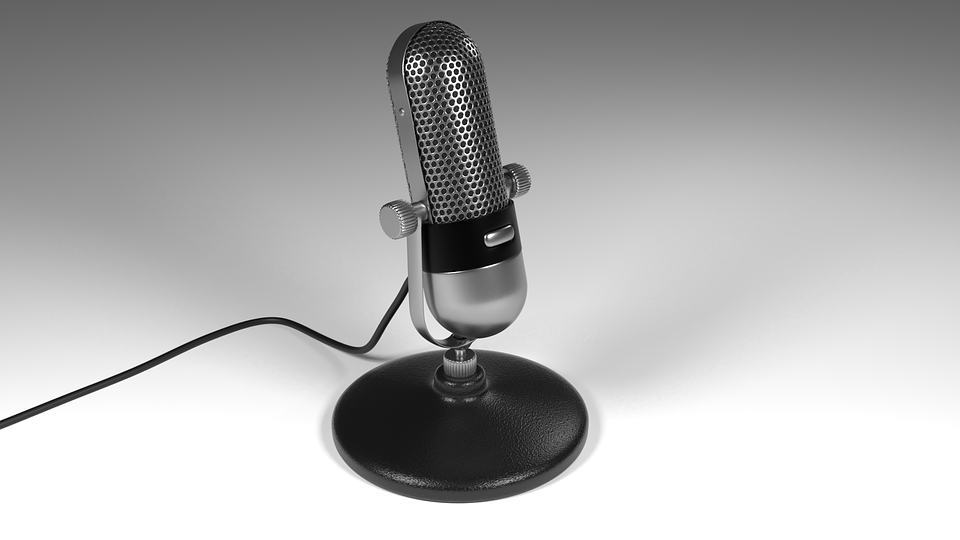
4. External USB microphones:
Many microphones connect directly to your computer via USB and offer good audio quality, reducing background noise and minimizing echo. The most common are Blue’s Yeti, Snowball and Cubano models, which require practically no setup and deliver good results at affordable prices. Tools 2, 3 and 4 show how simple making a podcast is today, when it used to require recording rooms like radio studios and sound boards for editing.
5. Anchor:
This useful app will save you countless headaches. It’s free and available for iOS and Android. It lets you record, edit, add intros and outros, and even publish your podcast right from the app. All you need is to record your voice on your phone or use audio files already on your device. Because of its popularity, it was recently acquired by Spotify as part of its digital marketing plan.
6. Audacity:
Another app that will be your best ally in creating your own podcast. It’s a free, very simple desktop program that makes editing your podcast easy. It lets you record, add background music and a few very basic effects, and the results are more than acceptable. It works with laptop and phone microphones, but it’s unlikely to support external microphones.
7. Adobe Audition:
Another good option for editing efficiently and quickly from the comfort of home. With it, you can record, edit audio tracks, add effects, create transitions and even fix recording mistakes. It’s paid software, but there are attractive, affordable packages for new users, students, beginners and even teachers.
8. iVoox:
It’s nothing less than the world’s largest Spanish-language podcast hosting platform, and it lets you create your own podcasts in your own account. It has free plans that let you upload as many episodes as you want, although only the 20 most recent will appear on iTunes and Spotify. If you’d rather go with a paid plan, starting at three euros, you can publish all the episodes you need. Another big advantage is that it helps you add extra information like categories and tags, so each podcast is easier to find in search engines.
There are other platforms like SoundCloud, Podomatic, Apple Podcasts and Spotify that serve the same functions as iVoox but differ in cost or in how much content they let you upload.
9. Personalizing your content:
Last but not least is personalizing your podcast’s content. It’s not a tool as such, but it’s something to keep in mind to make an engaging podcast. It’s about making your content your own. First, research what’s already out there. If someone already covers the same topic and you still want to tackle it, make sure your content is different. For example, there are plenty of movie podcasts, but what would make yours different from the rest? That’s what you need to ask yourself when creating your content.
Clearly, there are many options for building a successful podcast for every taste and budget. What matters is that, when you do it, you lose your fear of speaking, stay consistent with new episodes and have a lot of patience, since building a loyal audience takes time.
And always remember: there are many ways to subscribe to a podcast, but two platforms are key because they have the most users: Apple and Spotify. The good news is that neither charges you to be listed, but they won’t host your episodes either, so you’ll need an online service that keeps them available for your audience.