All digital marketers have something in common, and that “something” is that they aim to create effective, creative and profitable solutions in short periods of time.
But sometimes even the most experienced can get stuck without the right resources to optimize every task.
That’s why we’re sharing 15 tools that combine the features you need to maximize productivity and improve every digital marketer’s creative process:
For social media.
Tuigram
What can we say about this app?
Simple: Tuigram is a tool that turns your tweets into Instagram posts or Stories, directly and for free. That way, you can ditch those useful (but sometimes annoying) screenshots.
The app is available on the App Store and Google Play.
StoryArt
If you want to create Stories with a variety of themes, StoryArt is the perfect app for you.
Every post your brand makes should be dynamic, and with this tool’s thousands of minimalist, vintage and elegant templates, you can create Stories with standout text and even make collages.
StoryArt is available for iOS and Android.
Planoly:
This tool is perfect if you want to give your Instagram or Pinterest feed a cohesive, harmonious look.
Planoly has several important features:
- It lets you arrange your whole feed before publishing content.
- You can schedule posts to go out in sequence or skip some scheduled images.
- It allows automatic posting as long as you have the app installed on your smartphone.
- Planoly is free for managing 1 account, with a paid plan for multiple profiles.
With the desktop version, you can schedule and organize your content calendar, and its blog has all kinds of content with ideas to make your feed more appealing based on your brand’s personality.

Emojim
This may be one of the most useful apps out there for bringing your social media posts, blog articles, email subject lines and more to life.
Its interface is simple, and it works as a search tool, so you don’t need to install browser extensions or apps on your computer or phone.
Once you’re on Emojim, you can scroll all the way down to discover emojis that fit your posts, or use the search bar with several filters to find exactly what you want.
Cuttly
Of all the link shorteners out there, Cuttly offers the most free features.
With this tool, you can shorten links and get detailed analytics, with no character limits.
These are the performance metrics you’ll get with Cuttly:
- Total number of clicks.
- Click source: geographic location, device type and browser.
For SEO.
Google Search Console
Formerly known as Webmaster Tools, this tool is essential for making sure your website shows up in search engines.
With Search Console, you can also monitor your site’s performance and fix problems with spam or malware.
TLDR this!
Since we’re talking about usefulness, let’s introduce a valuable tool called TLDR.
TLDR stands for “too long, didn’t read,” and this app solves exactly that problem: it summarizes any article, page or large chunk of text into 5 concise points.
Just paste the article’s URL or text into TLDR This!, and the app scans the content, highlights the most important points and organizes them in a digestible way so you can read them in seconds.
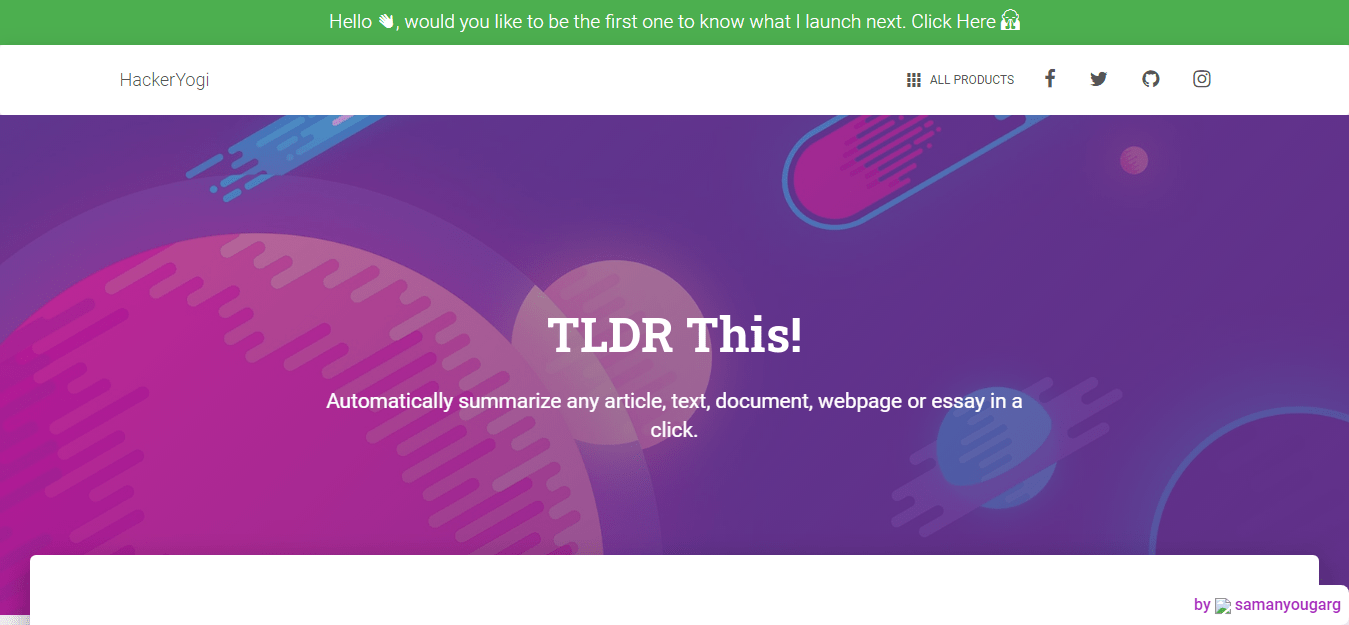
Image from TLDR This!
Hotjar
This tool analyzes the different ways users browse your business’s or brand’s website, so you can understand their needs and interests and offer them the right user experience.
Among the many options Hotjar offers, you’ll get extremely valuable information for optimizing your content and increasing how long each visitor spends on your site.
Sistrix
Sistrix is a powerful tool for analyzing your website and your competitors’.
Some of the most important data Sistrix analyzes:
- Visibility index.
- Indexed pages.
- Keyword list.
You can click each of these data points to get detailed information.
The only downside of Sistrix is that it’s only free for 14 days. After that, you have to choose a paid plan.
Quillengage
This tool is useful, but it’s also a complement to other SEO tools.
What does Quillengage do? If you work in analytics or any other marketing area where you need to study metrics, this tool turns the results of each report into text to make them easier to understand.
Quillengage is free for analyzing a single account, with paid versions if you want to add more. Just go to the site, set up access to the account you want to analyze and start generating reports, choosing how often they’re sent and which Gmail account receives them.
For boosting your productivity.
Zoom
Of all the video calling apps out there, Zoom is one of the most feature-rich.
One of Zoom’s biggest advantages? High-definition video quality and sound as crisp as the picture.
Its interface is simple, and it’s perfect for video conferences.
We often spend hours in front of the computer reading hundreds of interesting articles and news about our industry or any other topic. Taking in new information and staying up to date is good, but it’s also important to get our work done without distractions.
Pocket solves that problem by letting you save every page you’re interested in while browsing, to read offline.
That way, you can structure your time, set aside a few hours just for reading, open the Pocket app on any device and start reading.
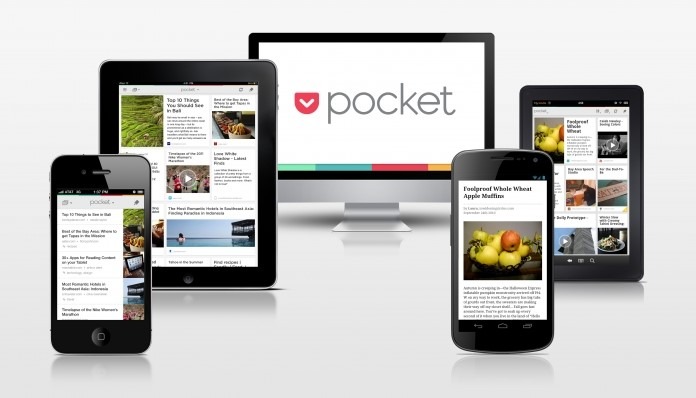
Image from iosxtreme
io
Many apps only let you record your screen. That’s certainly useful, especially when you make tutorials or work remotely and want to send a detailed explanation.
RecordScreen.io lets you record your screen and your camera at the same time, and you don’t need to download any software or install an extension. RecordScreen.io works right in your browser.
RescueTime
If your day slips away and you don’t know where it went, RescueTime can help you find out.
Just sign up on its website (or download the mobile app), and the tool will start analyzing how you spend your time online every day, giving you a report so you can see which activities deserve fewer hours and which deserve more.
Other productivity data RescueTime gives you:
- The apps and websites that distract you most.
- Time spent in meetings, answering emails and on social media.
- Your productivity highs and lows throughout the day.
- How your smartphone use affects your efficiency.
Evernote
Evernote is one of the longest-running apps on the market and one of the most popular in the digital world.
What does Evernote do for you? Just install the browser extension and you can save screenshots, notes, websites, images and more, organize them and share them with your team or anyone you like.
More than a place to keep notes, Evernote lets you save everything and have it on hand when you need it. It also syncs across all your devices, so you can access your information from anywhere.
With these tools, you’ll be able to focus effectively on every project and get more out of your work time. Even more importantly, you’ll find a better balance between your work and personal life.
Did you like our list? What other tool would you add? Tell us in the comments!